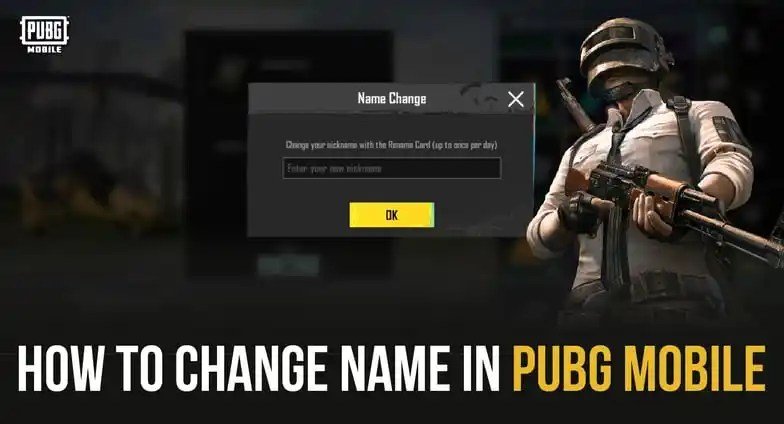
Ever wished you could hit the reset button on that awkward PUBG Mobile username you picked years ago? Perhaps it's an inside joke that no one gets anymore, a typo you can't unsee, or simply a reflection of an older you. Whatever the reason, changing your PUBG Mobile name is a rite of passage for many players looking for a fresh start. This PUBG Name Changing Guide & Rules will walk you through the entire process, from understanding the core mechanics to getting your hands on that coveted Rename Card, ensuring your in-game identity truly represents the player you are today.
At a Glance: Key Takeaways for Changing Your PUBG Mobile Name
- You need a Rename Card: This is the non-negotiable item for any name change.
- How to get one: Purchase from the in-game shop for 150 UC, or earn it through level-up rewards, return events, or the Royale Pass.
- No name change without a card: It's the only way.
- Daily limit: You can only use one Rename Card every 24 hours.
- Inform your squad: Don't surprise your teammates with a new name!
- Plan ahead: Choose a name carefully to avoid buyer's remorse (or another Rename Card purchase).
The Core Requirement: Your All-Important Rename Card
Think of the Rename Card as your golden ticket to a new identity in PUBG Mobile. Without it, the option to change your name simply won't appear. It's an in-game item, a special consumable that grants you one name change. This system ensures that name changes are a deliberate action, adding a layer of thought before you commit to a new tag.
The good news? Rename Cards aren't a one-time thing. You can acquire multiple cards over time, though there's a practical limitation on how often you can actually use them.
Getting Your Hands on a Rename Card: Buy or Earn?
Acquiring a Rename Card isn't a mystery; there are a few clear paths you can take. Whether you prefer to spend a little UC for instant gratification or grind it out for free, the option is there.
The Fastest Route: Buying from the Shop
If time is money, or rather, if UC is time, then purchasing a Rename Card directly from the in-game shop is your quickest option. It’s straightforward, immediate, and ensures you have a card whenever you need one.
Here's how to do it:
- Tap the "Shop" icon: You'll find this on the main PUBG Mobile screen, usually near the bottom right.
- Navigate to "Treasures": Within the Shop, look for the "Treasures" tab. This section often houses various special items and consumables.
- Locate the Rename Card: Scroll through the items until you spot an icon resembling a card, often with a helmet or "ID" label. The official item name is typically "ID Card" or "Rename Card."
- Purchase for 150 UC: Confirm your purchase. The card usually costs 150 UC (Unknown Cash), PUBG Mobile’s premium currency. UC can be purchased with real money, so this is essentially a paid option.
Once purchased, the Rename Card will be sent directly to your in-game inventory, ready for use.
The Frugal Path: Earning a Rename Card for Free
Not keen on spending real money? No problem. PUBG Mobile offers several ways to earn Rename Cards through regular gameplay and participation in events. It might take a little more patience, but it's entirely achievable.
1. Level-Up Rewards
As you progress through the game and level up your account, PUBG Mobile often rewards your dedication. Rename Cards are sometimes included in these milestone rewards, especially during the early-to-mid levels. Keep an eye on your "Progress" or "Missions" tabs to see what rewards await at specific experience levels. It’s a nice bonus for simply playing the game.
2. Return Events
Are you an occasional player, or have you taken a break from PUBG Mobile for a while? The game loves to entice players back! If you don't log in for more than a week, you might trigger a "Return Event." These special daily login reward streaks often include valuable items, and a Rename Card is a frequent offering to welcome you back into the fray. Make sure to claim your daily rewards if you see a return event active.
3. Battle Pass Rewards (Royale Pass)
The Royale Pass (or Battle Pass, depending on the season) is a seasonal progression system in PUBG Mobile. By completing daily and weekly missions, you earn RP points and unlock tiers of rewards. Rename Cards are often tier rewards in either the free or premium (Elite Pass) tracks. Check the Royale Pass section each season to see if a Rename Card is available at a tier you can realistically reach. It's a great incentive to keep playing and completing those challenges.
The Nitty-Gritty: Rules, Limitations, and Important Details
Before you excitedly click "Rename," it's vital to understand the underlying rules. These aren't just technicalities; they dictate when and how you can change your name, and a little foreknowledge can save you frustration.
One Card, One Day
While there's no limit to how many times you can change your PUBG Mobile name in total, there's a strict daily cooldown. You can only use one Rename Card every 24 hours. If you try to use another card immediately after a name change, the game will impose a 24-hour waiting period. This prevents rapid-fire name changes and encourages players to choose their new tag thoughtfully.
You Absolutely Need a Card
Let's reiterate: it is impossible to change your PUBG Mobile name without a Rename Card. There are no workarounds, no secret settings, and no contacting support to bypass this requirement. The card is the gatekeeper.
Tell Your Squad!
This might seem obvious, but it's worth a friendly reminder. Before you hit that confirm button on your new identity, inform your close friends or squad members! Imagine the confusion when "xX_ProKiller_Xx" suddenly becomes "PancakeLover99." Your teammates might not recognize you on the friend list or in the lobby, leading to accidental un-friending or simply losing track of you. A quick message can prevent awkward moments and ensure they can still find you.
Step-by-Step: Changing Your PUBG Mobile Name
Once you have your Rename Card safely in your inventory, the actual process of changing your name is straightforward.
- Open PUBG Mobile and log in to your account.
- Access your Inventory: On the main screen, look for the "Inventory" icon (often represented by a backpack). Tap it.
- Navigate to the "Crate" section: Within your Inventory, you'll see several tabs. Find the "Crate" icon or section where your consumables are stored.
- Locate your Rename Card: Scroll through your items until you find the "ID Card" or "Rename Card."
- Tap "Use": Select the Rename Card, and a "Use" button should appear. Tap it.
- Enter your New Name: A pop-up window will appear, prompting you to enter your desired new name. Make sure to type it exactly as you want it, paying attention to capitalization, special characters, and spaces.
- Confirm your New Name: After entering your name, the game will usually perform a quick check for availability and adherence to character limits/rules. If the name is valid and unique, you'll be prompted to confirm.
- Final Confirmation: Once you confirm, your name will instantly update across the game.
Congratulations, you've got a fresh new identity!
Crafting Your Perfect New Name: Tips and Inspiration
Choosing a new name isn't just about changing it; it's about finding one that fits! Your PUBG Mobile name is part of your digital persona, so make it count.
Here are a few tips to help you brainstorm:
- Keep it unique: While the game checks for duplicates, a truly memorable name stands out.
- Consider readability: Avoid overly complex combinations of numbers and symbols unless that's your specific style. Easy-to-read names are often easier for teammates to recognize and call out.
- Reflect your playstyle (or humor): Are you a stealthy sniper? A chaotic rusher? Or just in it for the laughs? Your name can subtly hint at your approach.
- Check character limits: PUBG Mobile names have specific character limits, usually around 14-20 characters. Special characters also consume space.
- Avoid offensive terms: Naturally, the game has filters for inappropriate language. Stick to names that are widely acceptable.
Stuck for ideas? Don't fret! Sometimes a little inspiration is all you need to spark the perfect name. You might find some excellent starting points and creative suggestions with Our PUBG name generator, designed to help you craft an identity that truly stands out in the battlegrounds.
Common Questions & Troubleshooting Your Name Change
Even with a clear guide, a few questions often pop up. Here are some quick answers to common name-changing queries:
Can I get a refund for a Rename Card if I change my mind?
Generally, in-game consumable item purchases are final and non-refundable, especially if you've already acquired the item. Always be sure before you buy.
My desired name is "taken." What do I do?
This is a common issue! PUBG Mobile names must be unique. If your first choice is taken, you'll need to try variations. This could mean adding numbers (e.g., "ShadowHunter" vs. "ShadowHunter77"), underscores (e.g., "Lone_Wolf"), or different spellings. Get creative!
Can I use special characters or symbols in my PUBG Mobile name?
Yes, PUBG Mobile supports a range of special characters and symbols. However, there are limits to which characters are allowed and how many can be used within the character limit. Some symbols might also render differently on various devices. Experiment to see what works!
Why isn't my Rename Card showing up in my inventory?
If you purchased a card but don't see it, first check your in-game mail for delivery. Sometimes items are sent there. If it's still missing, restart your game. If the issue persists, contact PUBG Mobile support with your purchase details.
What happens if I change my name and my friends can't find me?
If you forgot to tell your friends, don't worry! They can still add you by searching for your new name, or you can send them a new friend request. You'll simply appear under your new name on their friend list.
Thinking Ahead: What to Consider Before You Hit Confirm
Changing your name in PUBG Mobile is more than just a cosmetic tweak; it's a reflection of your identity in the game's vast community. Take a moment to think about the long-term implications.
- Team Recognition: Again, ensure your regular squad knows your new name. Good communication prevents confusion and maintains team synergy.
- Personal Branding (if applicable): If you stream or create content, your in-game name becomes part of your brand. Choose something memorable and professional.
- Future-Proofing: Does this name still sound good a year from now? Avoid overly trendy names that might quickly become outdated.
Ultimately, your PUBG Mobile name should be something you're proud of, something that represents you in the heat of battle and in the camaraderie of your squad. With a Rename Card in hand and a little thoughtful consideration, you're all set to forge your new legend.